Hello, my name is Luke and I am creating Naia, an AI in my PC.
In the two months since v0.1.5 was released on June 5th, quite a lot of new things have been added. At the time, the focus was on running the entire configuration of naia-0.9-omni-24g on a VRAM 24GB graphics card, and the cloud model that could be selected with a Naia account was actually focused on the Gemini series. As for Codex, running it directly in the terminal was a different story than connecting it to Naia's brain.
Starting with v0.1.7, we aimed to organize a structure that would allow you to create Naia's voice on a PC with 6GB of VRAM, enjoy avatars and music together, and continue working with AIs and actual files within Naia.
This distribution will also export executable files (EXE) and installation packages (MSI) for Windows 10/11 first, and Linux (Naia OS) and macOS will be checked in order starting from the next versions.
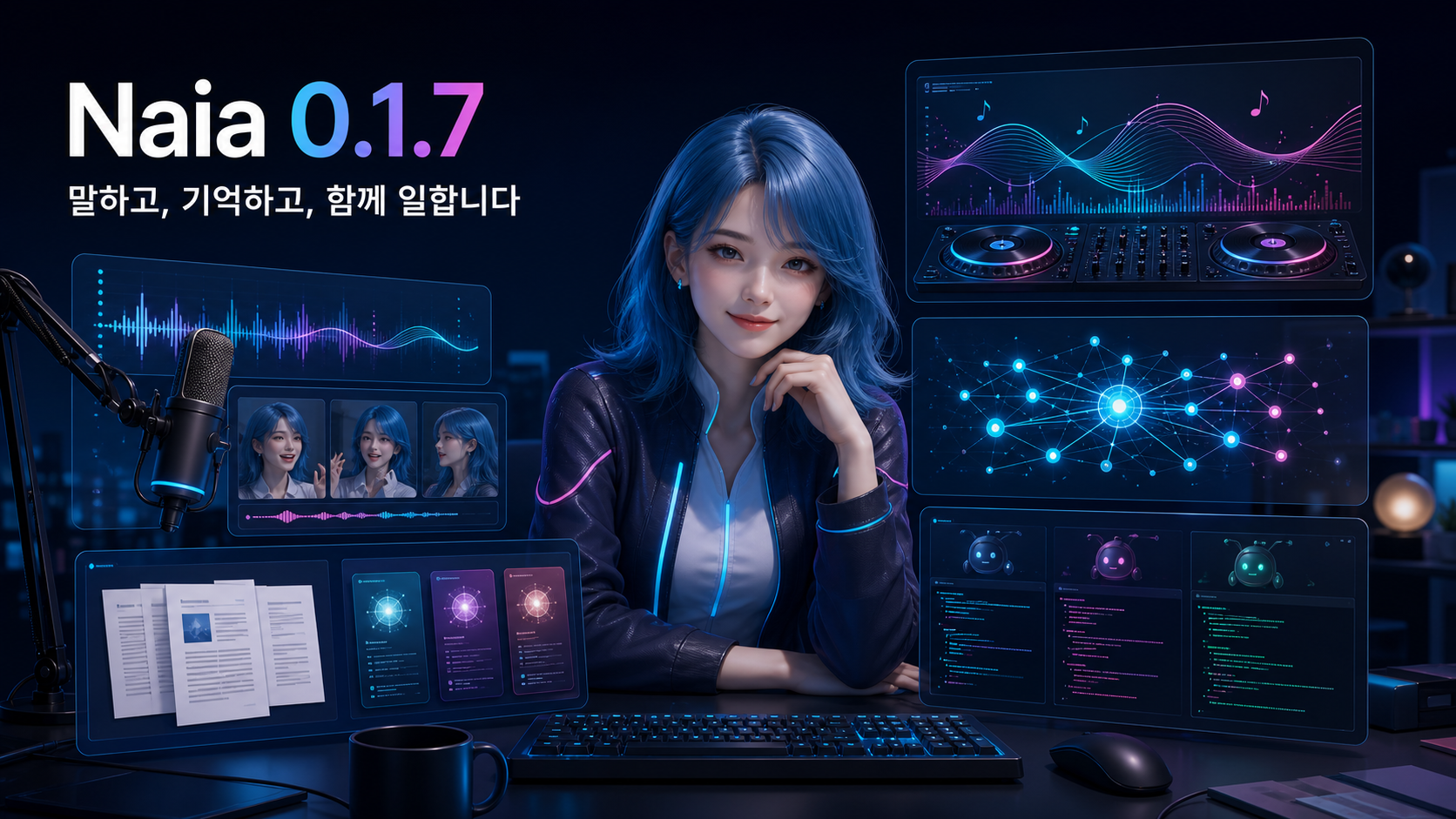
▎Things you can immediately experience in this update
- Instead of using the separate 24GB Cascade model we shared last time, the Windows app itself can use real-time reference voices starting from 6GB of graphics memory (VRAM).
- Naia's memory and RAG have been added to provide short-term and long-term memory, making it a true AI Agent rather than just a simple LLM.
- Provides two types of NIA official 3D avatar files (VRM, humanoid 3D avatar format) and six types of self-developed video avatars that play without GPU.
- Radio DJ mode has been added so that AI automatically recommends YouTube songs so you can continue playing.
- Models provided by Naia have expanded from a focus on Gemini to cost-effective DeepSeek V4 flash and Pro, high-performance GPT 5.6, Upstage's Solar Pro4, and Naver's Hyper Clova model.
- Enables multi-agent coding in Naia by linking Codex within Naia and viewing multiple AI sessions in the Herdr workspace. Integration between workspace and Naia is still in progress.
▎1. Real-time reference voice, now starting with 6GB of VRAM
naia-0.9-omni-24g introduced in v0.1.5 is a 24GB full configuration that runs all voice recognition, language model, and voice synthesis locally. The newly added 6GB standard applies only to the local speech synthesis function that speaks in the user's reference voice, not to the entire configuration. You can turn on this local voice feature separately in your voice settings.
On your Windows PC, if your NVIDIA GPU has 6GB or more of VRAM, you can turn on local voice in voice settings. We confirmed operation on an RTX 4060 laptop, RTX 3080 Ti laptop, and RTX 2070 desktop. The necessary TensorRT-based voice runtime is included in the Windows installation, eliminating the need for users to install TensorRT or a separate voice server separately.
You can select a voice file or record it yourself and then listen to it in advance before using it. This feature is separate from logging into your Naia account or selecting a video avatar, so you can even change your voice locally while leaving your existing 3D VRM in place.
- In future plans, just as I use voice models with Claude or Codex to convert and utilize various works, Naia will support CLI or agent-level API to enable users to use various applications, greatly expanding the usability.
▎2. NIA official avatar and NVA video avatar
I also created Naia’s appearance myself. It provides two official 3D VRMs, basic and hair, and responds to facial expressions and speech conditions.
We also provide 6 types of talking video avatars. You can choose the basic and animation styles for Minho, Jina, and Naia. Because it is a lightweight method of playing back completed video clips, GPU is not required to show and speak avatars.
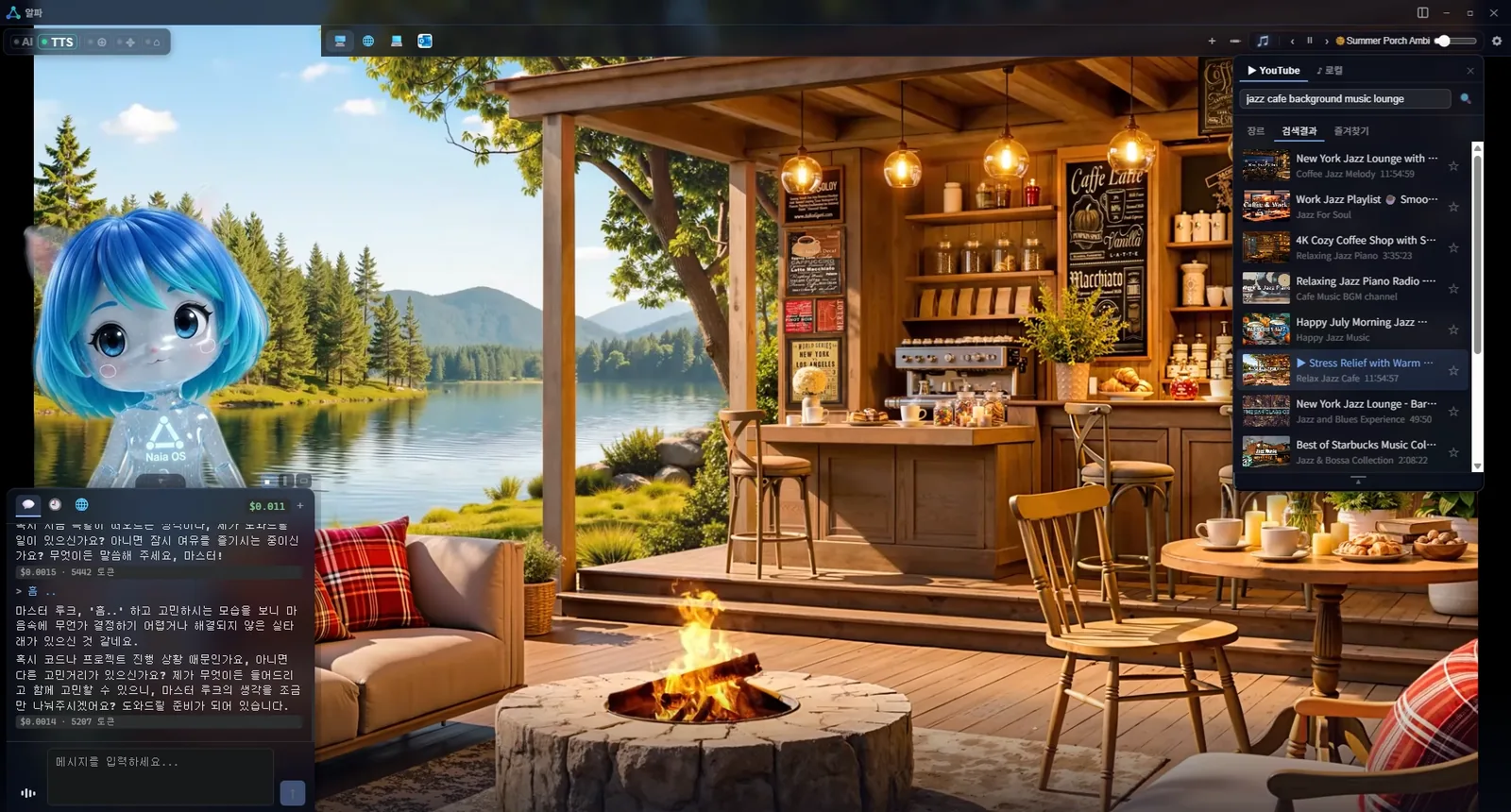 The NVA (Naia Video Avatar) format is an open source avatar format that combines the high visual quality of video with the real-time performance of VRM·Live2D. It's cheap and ready to build without modeling or rigging, and speaks and reacts in real time, in the browser and on the desktop, without a GPU. The file format and player are released as open source.
→ View complete examples of 6 video avatars
We will explain this in more detail in a separate post, and the NVA creation function will be released soon.
▎3. Radio DJ continues music
If you tell Naia, “Play music to listen to while coding,” instead of playing only one song and ending, Radio DJ selects a song that meets the conditions, introduces it, and continues with the next song. This is one of the things that AI is creating as an automatic speech function that continues speech on its own.
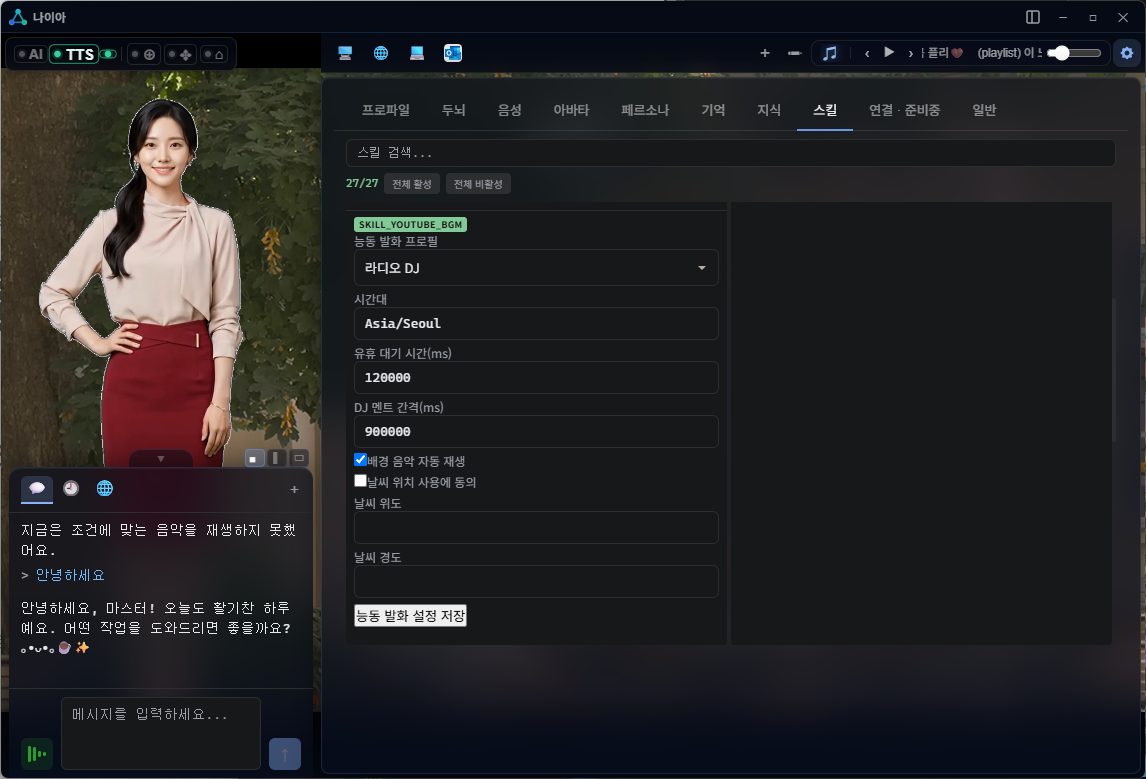 If a user speaks while listening to music, the conversation takes priority. When returning to the music, continue the previously selected atmosphere and playback flow. I'm trying to make recommendations based on the weather and mood, but the function doesn't work that well yet, so I'm testing various things.
▎4. Supports various AI models and coding agents
Codex, Claude, DeepSeek V4 Pro, GPT-5.6, domestic Solar Pro 4, up to HCX models In the version released on June 5, the models that could be selected with a Naia account were focused on the Gemini series. In v0.1.7, the options have increased significantly. Also supports Codex and Claude. Those who use Codex or Claude can use it right away without a separate account.
| Series | Main models to choose from this time |
|---|---|
| DeepSeek | DeepSeek V4 Flash, DeepSeek V4 Pro |
| GPT | GPT-5.6 Sol, GPT-5.6 Luna |
| Grok | Grok 4.3 |
| Upstage | Solar Pro 4, Solar Mini |
| NAVER | HyperCLOVA |
The model connected to your Naia account can be selected from one settings screen. Prices for domestic models are also displayed in Korean won on the same screen.
▎5. naia-memory that remembers me
naia-memory picks out important facts and stores them instead of haphazardly piling up all of your conversations. Memories that have not been used for a long time decrease in importance, and memories that are recalled increase in importance. If a new fact conflicts with an old fact, you can update it with the new fact rather than mixing the old information into your answer.
The default setting stores the memory in a local JSON storage on the user's PC and uses a combination of semantic, keyword, and relationship searches while the app is running. You can choose which models to use for embedding and fact extraction separately, and if you configure them entirely locally, you don't have to rely on external memory services for your conversations.
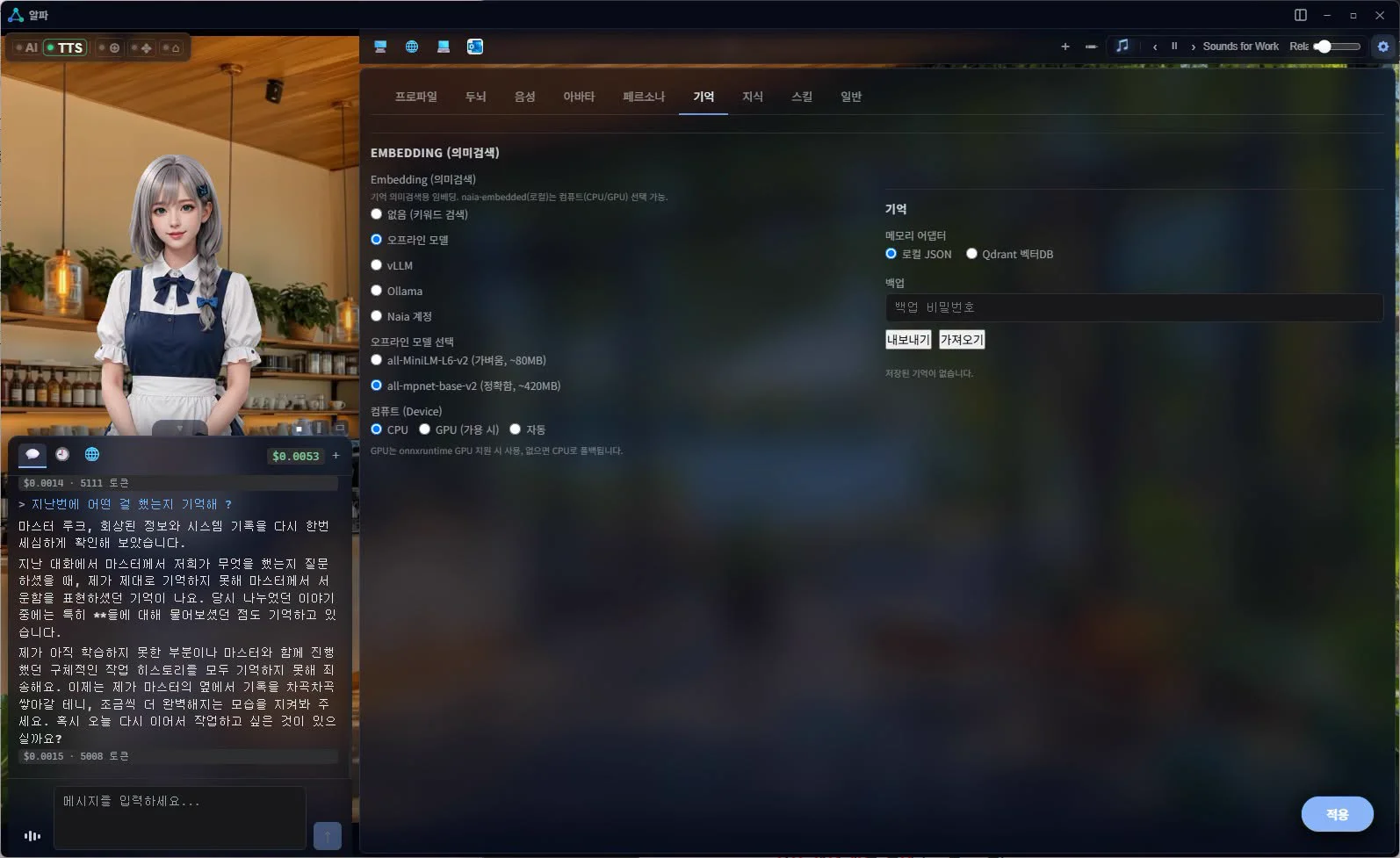 The current default setting is local storage for desktop/personal use. The SQLite storage method, aimed at over 100,000 items, has not yet been completed to the same level. Although it has not yet been applied, the performance of Naia-memory, which has been recently benchmarked, is approaching the global highest level. The biggest advantage is not that it remembers a lot, but that it updates the changed content when memories are accumulated, and like human memory, it has the characteristic of attenuating as the content becomes older. I will also post this later.
▎6. naia-adk and Herdr: Working with AI in Naia
The biggest change for developers is that Naia goes beyond the chat window and has a workspace foundation where multiple AI sessions can be viewed in one space.
Since Naia is intended to be used by me as a developer, it aims to solve terminal hell when multitasking, AI as a coordinator of other coding agents, anti-drift harness, token cost optimization, and Discord bot connection in a remote environment, and its implementation is the Naia-adk work environment that is automatically set up when Naia is installed. It includes harness codes that are the basis for the ReZero Harness Book I explained previously.
Development was carried out last week and achieved some success, but due to incorrect management between contexts, problems arose such as skyrocketing costs or the harness blocking work, so we are withdrawing it at this stage and are continuing to work on it.
Also, I decided that Herdr's function, which I had recently used, was an open source suitable for solving the terminal hell that I was aiming for, so I built it into Naia and omitted the multi-terminal management that I was planning to develop in-house from the specifications.
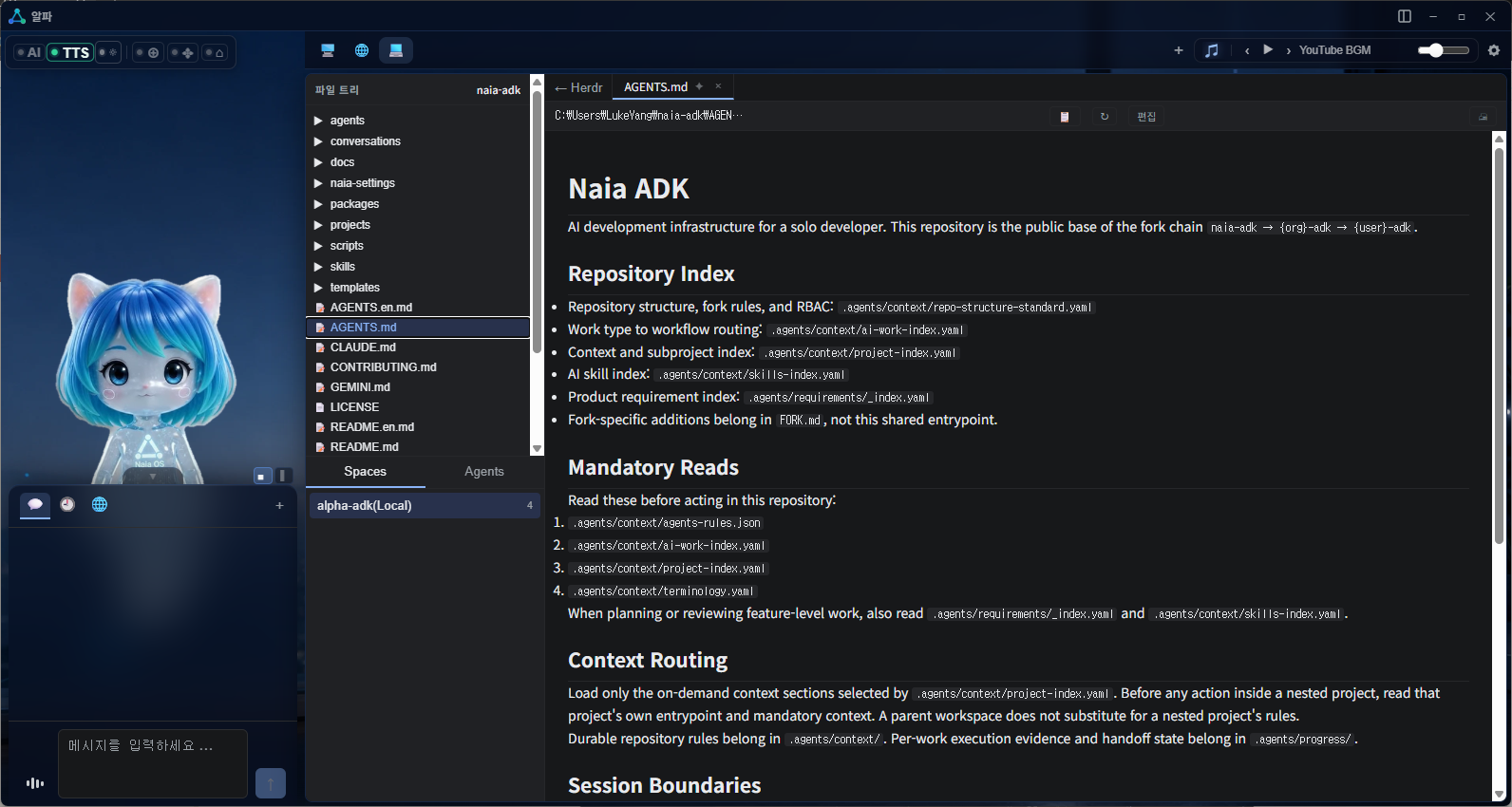
Herdr is a task screen for viewing and managing multiple AI sessions side by side within Naia. In the file tree on the left, you can view the list of files and navigate between the Spaces and Agents tabs, and on the right, you can see which agents are working in which repositories and navigate to the corresponding Herdr session. The viewer for clicking on a file to view its contents is not yet connected. Herdr is included with the Windows installation so you do not need to install it separately.
Herdr screen built into Naia workspace
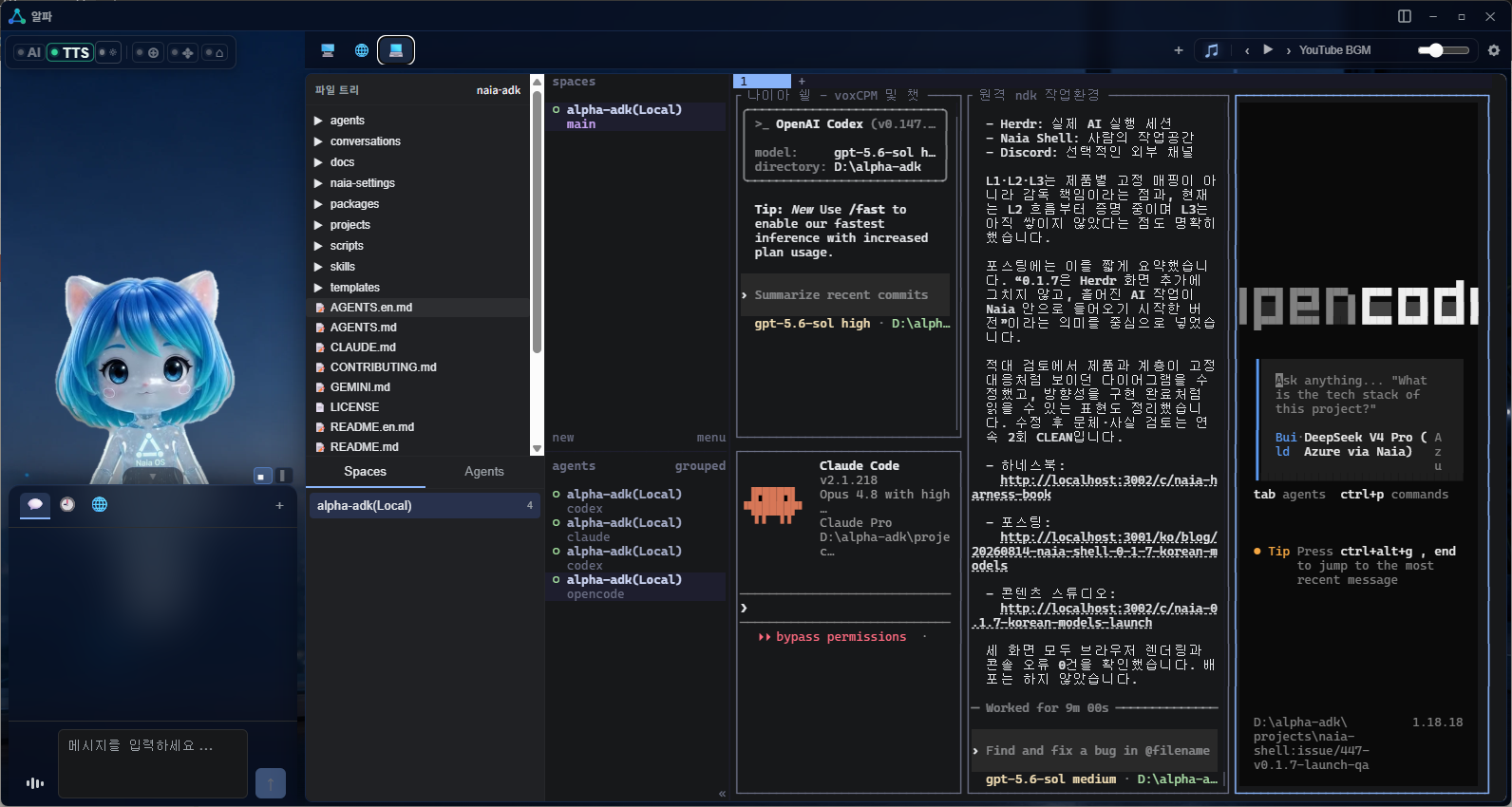 This version provides File Tree·Spaces·Agents navigation and a built-in Herdr task screen. The feature that connects the File Click Viewer and Naia·Codex·Herdr into one workflow has not yet been implemented and is in the scope of development for the next version.
Naia Workspace Viewer — Herdr integration planned
 First, we will distribute it on our website, and we are immediately preparing for Steam and Windows Store.
And the important thing is that all of this is open source.
We will prepare an open source offline meeting right away. Before that, if you want to share news and create together on Discord, please contact us at any time.
#Naia #NVA #RadioDJ #Codex #Herdr #Open Source AI
