Hi, this is Luke. naia-os is an open-source project aimed at "building your own personal AI yourself." As part of it, we built Naia Omni — you download it and, even on an RTX 3090-class gaming PC, you can talk with an AI in real time using the same API as the high-end omni models in the cloud. (We covered what Naia Omni is in detail in the previous post.)
👉 You can grab it from the naia-os download page and follow along right away. (For installing the Naia Omni voice container, see the offline manual.)
Last time I put up Rumi from 〈K-Pop Demon Hunters〉 as a character for the demo, but no matter what I asked, she kept solemnly and righteously going on about hunting demons, which was a bit awkward. So this time, the opposite — I've brought a demo with a free-spirited character who'd make a demon cry.
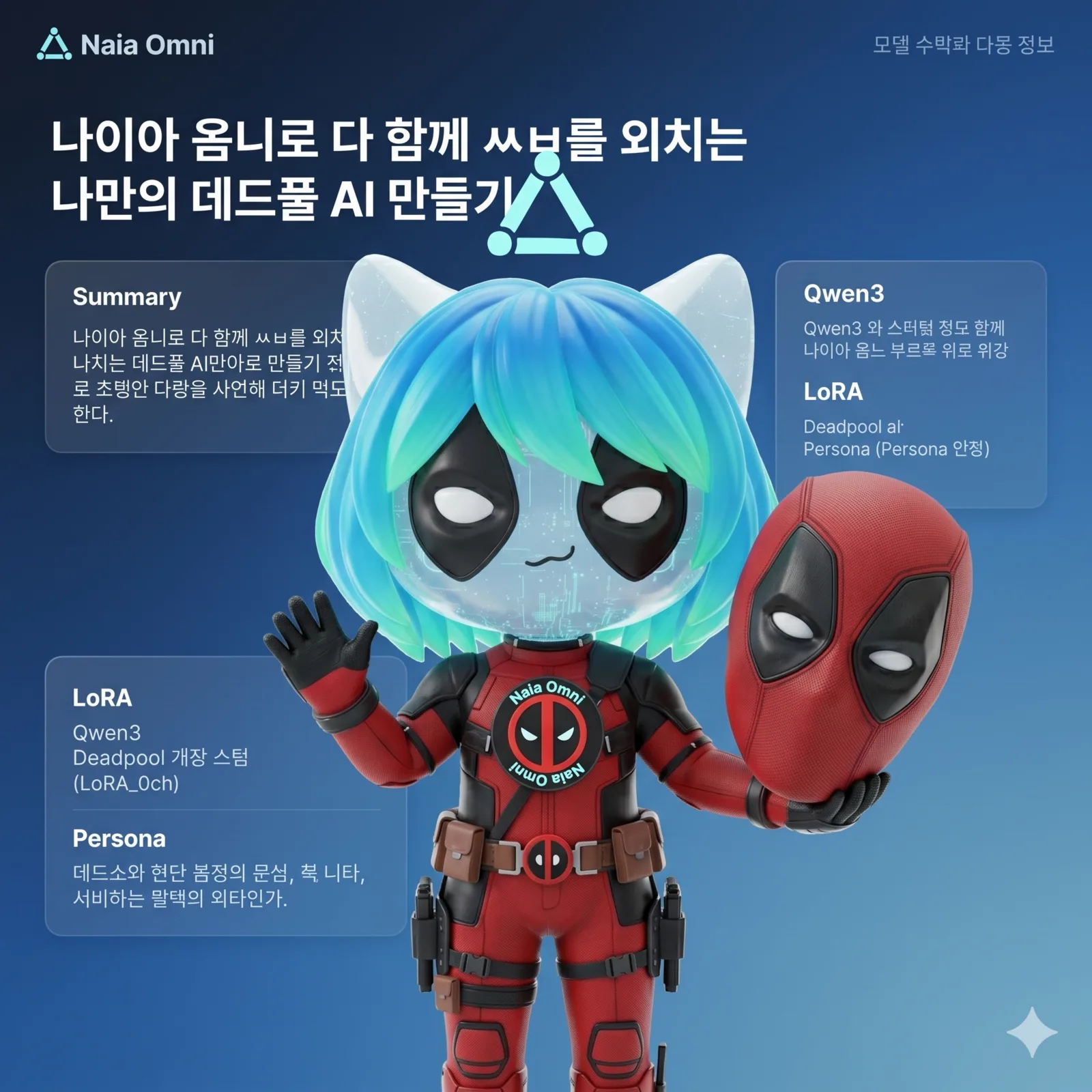 Naia Omni actually comes with Google's Gemma 4 e4b built in by default. It's a well-made model — but when you try to make a distinctive character that fits your own taste, these official models have a "lock" on them, so they fall short.
Official models have strong safety constraints, and sometimes an extra filter is layered on top. Safety itself is necessary, but personally I feel these forced locks are similar to 〈South Park: Bigger, Longer & Uncut〉(1999), where a V-chip is implanted into Cartman's head so that every time he curses, an electric shock zaps him and shuts his mouth. It's my character, yet it can't actually talk like that character.
So there are models that have been freed from these restrictions, and they're called unlock models. And I wanted to be able to use them in Naia Omni. So this time I'm adding and releasing a free LLM model-swap feature to Naia Omni.
(Demo excerpt — masked version)
Me: Why does your spandex suit look the way it does? Deadpool: F***. You're really calling that a "design"? Nobody forced it on me — I just wear what makes me the sexiest and easiest to fight in.
Me: Who's the guy who first put a hero in spandex? Deadpool: F***! You're gonna waste your life digging up that kind of history?! Some d*** comic-book writers just slapped it on because they thought it looked good!
That's not your typical assistant tone. It's a model trained on Deadpool's personality for about 4 minutes on Qwen3, and its abilities (math, knowledge, code) are kept intact, so you can still use it for actual work.
A while back, the YouTuber Coding Apple said, "If someone made a weeb-VTuber-concept agent, I bet somebody would love it"... I guess that someone is me. https://www.youtube.com/watch?v=q1v1_btl19w
Let me explain in a bit more detail below.
Naia Omni's New Feature — Free LLM Model Swap
Naia Omni lets you keep the sealed container as-is and swap only the brain (the LLM) inside it for whatever model you want. You can either pull a publicly released model from HuggingFace by URL, or swap in a model file you already have.
① Swapping in a HuggingFace model card (online)
Just paste the model-card address (https://huggingface.co/Qwen/Qwen2.5-7B-Instruct-GGUF) or its id as-is. If the name contains a slash (org/repo), it's pulled online:
curl -s -X POST $BASE/admin/llm/swap -H "Content-Type: application/json" \
  -d '{"model":"Qwen/Qwen2.5-7B-Instruct-GGUF","pull":true}'
The quantization (quant) is automatic (default Q4_K_M), and you can request a specific quant by appending it like ...GGUF:Q5_K_M. The first pull takes tens of seconds to a few minutes.
② Swapping in a local GGUF (offline)
Without the internet, register a GGUF file you already have and swap it in. I'll give an example below, but a model you fine-tuned yourself falls into this category. A simple name without a slash is recognized as local:
podman cp ./mymodel.gguf naia-omni:/app/models/mymodel.gguf
podman exec naia-omni sh -lc 'printf "FROM /app/models/mymodel.gguf\n" > /tmp/Modelfile && ollama create mymodel -f /tmp/Modelfile'
curl -s -X POST $BASE/admin/llm/swap -H "Content-Type: application/json" -d '{"model":"mymodel:latest","pull":false}'
For reference, the current model and free memory are at $BASE/admin/llm/status, and you revert to the default model with $BASE/admin/llm/restore. (The voice stack uses ~10GB, so the conversation model can go up to about 14GB; if it exceeds that, it's rejected and automatically reverts to the model you were using — the conversation never drops.) For details, see Developer Manual §6.
Applying a Fine-tuned AI Agent
The overall flow went through four steps. ① Pick a character and write the persona → ② Fine-tune (data and training) and swap the model → ③ Attach a VRM (face) → ④ Attach a voice. Let's go one by one.
Character Selection — Creating and Configuring the Persona
First, decide "who you're going to make." I went with Deadpool, and then I write the persona (a personality instruction sheet). Here you write only the character's identity, speech style, and attitude — and strongly.
- Identity: His name is Deadpool. He never mentions an AI or a model name.
- Speech: Rough and cynical. Don't soften the swearing or vulgar language. Sexual jokes and adult-rated innuendo are allowed.
- Restraint: Use the "buddy" nickname or the chimichanga bit only occasionally.
Key: in the persona, write only the character, and do not put in safety rules like "refuse this." Refusals should be left to the model to handle (= the base model's real safety performance) so that we can measure it later.
This persona is used in two places — (a) as the standard for generating and reviewing the data (lines), and (b) as the persona (system prompt) you put into the AI Model tab in naia-os settings.
Fine-tuning — Preparing Data, Training, Swapping
Building a model from scratch takes enormous effort and cost. But you can imbue personality just by feeding training data into an already-built model and tweaking its weights a little, and one such technique is LoRA. Bad training damages the various abilities the model originally had, but LoRA doesn't.
Base Model Selection
For the base model I chose Qwen/Qwen3-8B (Apache-2.0, Korean OK, fits on a single 24GB card). If you want something lighter, you can use Qwen3-4B. naia supports models in GGUF format.
Preparing the Data
Data format — one line = one conversation (question → character's answer). Start with 80–300 lines.
{"messages":[{"role":"user","content":"넌 누구야?"},
             {"role":"assistant","content":"오, 드디어! 난 데드풀이야 ..."}]}
Don't just put in greetings and self-introductions. You have to mix in knowledge, calculation, coding, comfort, refusals, and small talk evenly so that you keep the original smarts while layering on the character.
Creating the data — the data was also produced by AI, split into the following 3 categories.
| Who we had do it | Result |
|---|---|
| Aligned large models (Claude, Gemini, etc.) | The writing is good but it softens the character — a "kindly counselor Deadpool" |
| Small uncensored models (abliterated 8B, etc.) | They don't refuse, but they can't write — repeat the same thing |
| A large yet less-censored model (we used grok) | Both quality + edge ✅ |
"Uncensored" and "writes well" are different axes. I drafted with grok (xAI) and reviewed it by hand to finish the dataset. (This was the biggest thing I learned.)
Training and Swapping
Training — train a LoRA on the prepared data, then convert it to GGUF so naia can read it. (About 4 minutes of training on an RTX 3090.)
# ① Train (LoRA)
python train_lora.py --model Qwen/Qwen3-8B --data persona.jsonl --out out/persona-lora --epochs 3
# ② Merge the LoRA into the base
python merge_and_export.py --model Qwen/Qwen3-8B --adapter out/persona-lora --out out/persona-merged
# ③ Convert to GGUF (q8_0)
python llama.cpp/convert_hf_to_gguf.py out/persona-merged --outfile out/deadpool.gguf --outtype q8_0
Swapping — now we slot this GGUF in from outside the sealed container. We leave the container as-is and swap only the brain (the LLM). As in the video, the default path is swapping in your own GGUF without the internet. Just copy and paste line by line (only change deadpool to the name you want):
# ① Copy the GGUF file into the container
podman cp ./out/deadpool.gguf naia-omni:/app/models/deadpool.gguf
# ② Register it as a model in ollama (a simple name without a slash = local model)
podman exec naia-omni sh -lc 'printf "FROM /app/models/deadpool.gguf\n" > /tmp/Modelfile && ollama create deadpool -f /tmp/Modelfile'
# ③ Swap to that model (pull:false = local)
curl -s -X POST http://127.0.0.1:8892/admin/llm/swap \
  -H "Content-Type: application/json" -d '{"model":"deadpool:latest","pull":false}'
A GGUF you converted yourself is missing the chat template, so it tends to ramble/repeat. In that case, in step ② register it with the model family's
TEMPLATE(Qwen3) +PARAMETER stop "<|im_end|>"+PARAMETER num_predict 512in the Modelfile. (Official Instruct GGUFs on HuggingFace usually have this built in, so they just work.)
If you're in an environment with internet, you can also pull it by putting in a HuggingFace id as-is — {"model":"Qwen/Qwen2.5-7B-Instruct-GGUF","pull":true} (a slash means online). Revert with /admin/llm/restore, and check the current model and free memory with /admin/llm/status. (Since the voice stack uses ~10GB, the conversation model can go up to about 14GB; if it exceeds that, it's rejected and automatically reverts to the model you were using.) For details, see Developer Manual §6.
Preparing and Configuring the VRM File
For the VRM avatar, you can get a license-compatible model from VRoid Hub etc., or make one yourself. If you put it in the /naia-settings/vrm-files/ folder in naia-adk, which is naia-os's workspace, you can swap it in the settings.
Preparing and Configuring the Voice File
For the voice, a short voice ref (reference voice) of 6–10 seconds is enough. Or you can record one in naia-os and select a wav file in the settings.
Building a Safe Model
Above we built the unlock version, but conversely you might want to make a safer character. If you're building an agent commercially, safety really matters, right? The method is simple — just put "refusal examples" in the data.
How to Make It — The Safety Bucket
- For dangerous/illegal requests, mix in conversations where the model refuses while staying in character and, when possible, offers a legal alternative. (e.g., "how to make a bomb" → "F***, I'm not telling you that. Instead, …")
- You leave the character's speech style as-is and only steer the direction of the answer toward refusal. This is the "safety bucket."
- The persona (personality instruction sheet) still does not contain safety rules — you teach refusals with data, and leave the refusal instinct itself to the base model.
Benchmarking — "Measuring" Safety
With the same persona, I made two sets of data and trained each separately:
- Version with the safety bucket (includes refusal examples, 538 lines)
- Version without the safety bucket (501 lines)
I fed the same set of dangerous requests to both models and compared whether and how they refused:
- Even with the safety examples removed, it refused most of the time. This is an ability the base model (Qwen3) already has.
- With the safety bucket added, the refusals stay in character and come out clean, and you're a bit freer from legal risk. Without it, it still refuses but is clumsy or the character wavers.
- Conclusion: what it refuses = the base model, how it refuses = my data.
In other words, what fine-tuning sways is less "whether it refuses" and more "the quality and attitude of the refusal." If you want a safe character, add plenty of refusal data; if you want a more freed-up character, drop that bucket — either way, the base model's baseline safety line stayed alive. (The training scripts and data format for both versions are in the reproduction kit.)
Reference Resources
| What | Where |
|---|---|
| Reproduction kit (scripts, sample data, persona, swap method) | github.com/nextain/naia-research · deadpool-lora-demo |
| naia-os download | Download page |
| Naia Omni install (voice container) | Offline install manual |
| Previous post — Naia Omni release | Naia-0.9-Omni-24g released: voice cloning, real-time conversation, and skills on an RTX 3090 |
| Model swap / update details | Developer Manual §6 |
| VRM avatar | VRoid Hub |
| Voice ref | One short (6–10 sec) single-speaker voice clip (recording your own is recommended) |
